

Maintenance
The System Service Card comes with the Pod, and may be located near the Harvest Pod or water tank.
SANCO2 Heat Pump Maintenance
Section titled “SANCO2 Heat Pump Maintenance”Please see the SANCO2 maintenance document linked here.
Keep the area around the heat pump water heater’s outdoor unit clear. Do not let vegetation grow on or against the unit, and trim back any nearby plants — restricted airflow lowers efficiency and can cause the unit to fault.
Connecting the Harvest Pod to a different wifi router
Section titled “Connecting the Harvest Pod to a different wifi router”-
Make sure the Harvest Pod is powered on.
-
Connect your phone, tablet, or laptop to the Harvest Pod’s Wi-Fi access point. The network name (HarvestPodXXXX) and password are on the label on the bottom of the Pod. Wait at least 5 minutes after powering the Pod before connecting.
-
In a browser, go to
http://harvestpodXXXX.local(where XXXX matches the network name). -
Configure the internet connection and look for a green Connected indicator.
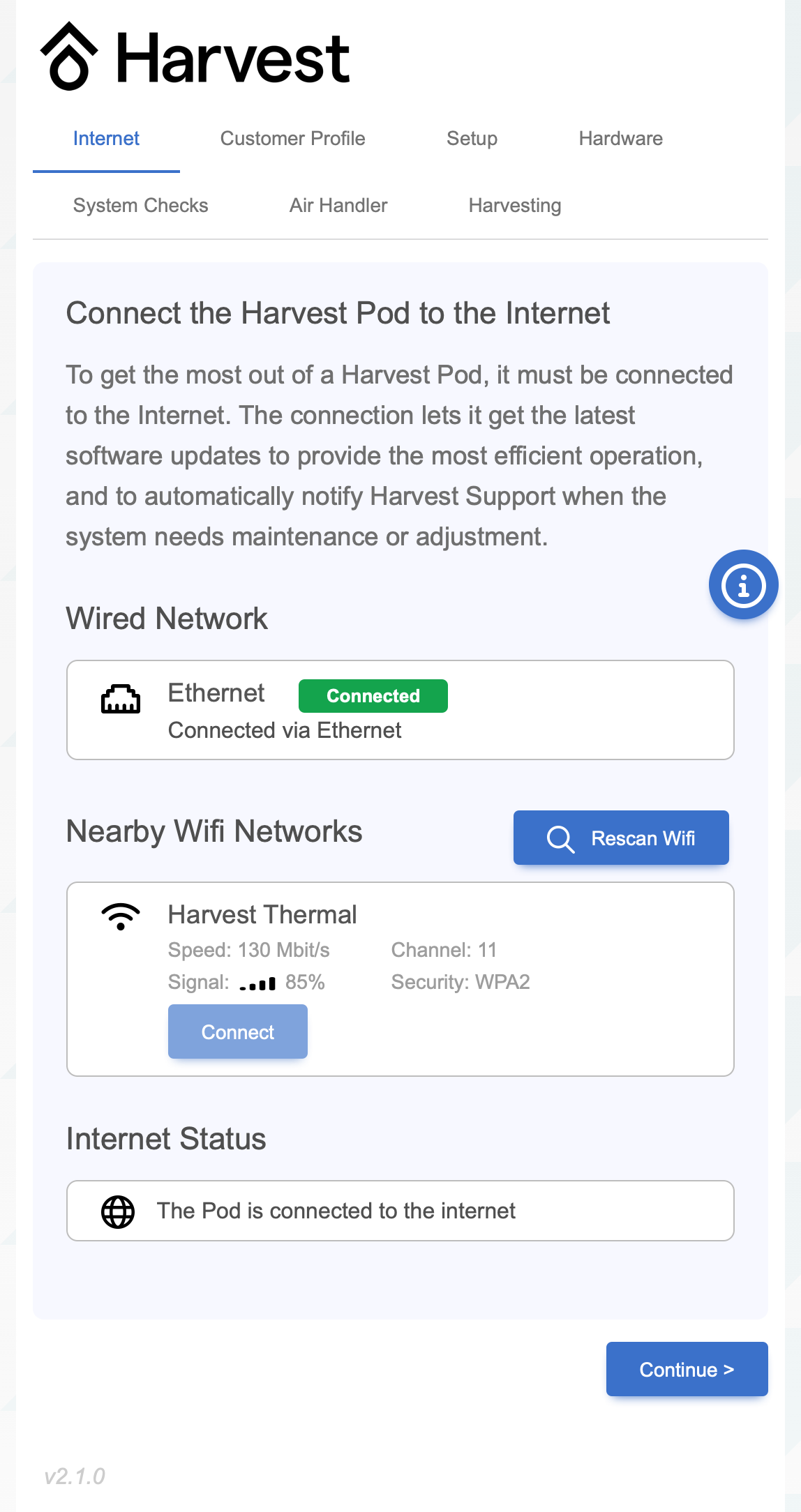
For step-by-step help and Wi-Fi signal guidance, see the troubleshooting section on connecting to a different Wi-Fi router.
Descaling
Section titled “Descaling”Scaling is the build up of minerals on the inner linings of pipes and of the hydronic coil. Over time it can reduce system performance.
Consider asking your plumber to descale the system every 3 to 5 years depending the hardness of your water. The system has drain valves to facilitate descaling of the heating coil.
See the Descaling guide for the full procedure.
Real-Time Clock Battery Replacement
Section titled “Real-Time Clock Battery Replacement ”The Pod contains a real-time clock with battery backup to keep track of time when it loses power and isn’t connected to the internet. The battery is a CR1220 coin cell type. Replacement is recommended every 10 years and must be performed by a Harvest-authorized professional, not by the homeowner. Replacement parts must be high quality brand name parts.